 Help Center
Selecting transposed data with XLSTAT
This tutorial shows how to Select transposed data with XLSTAT.
We have here a dataset where rows correspond to variables and columns to observations.
The data correspond to an experiment where 4 new toothpaste formulas were each tested on 4 different patients in order to measure their effect on the whiteness of teeth. All patients had previously used the same toothpaste.

By default, XLSTAT considers that rows correspond to observations and columns to variables (common case).
XLSTAT displays, on each dialog box, a button to change this behaviour:
-
 Blue arrow is visible: XLSTAT considers that rows correspond to observations and columns to variables (common case)
 -
 Red arrow is visible: XLSTAT considers that rows correspond to variables and columns to observations
In this example, we select ‘transposed selection’ mode (red arrow) by clicking on the button then we select data:
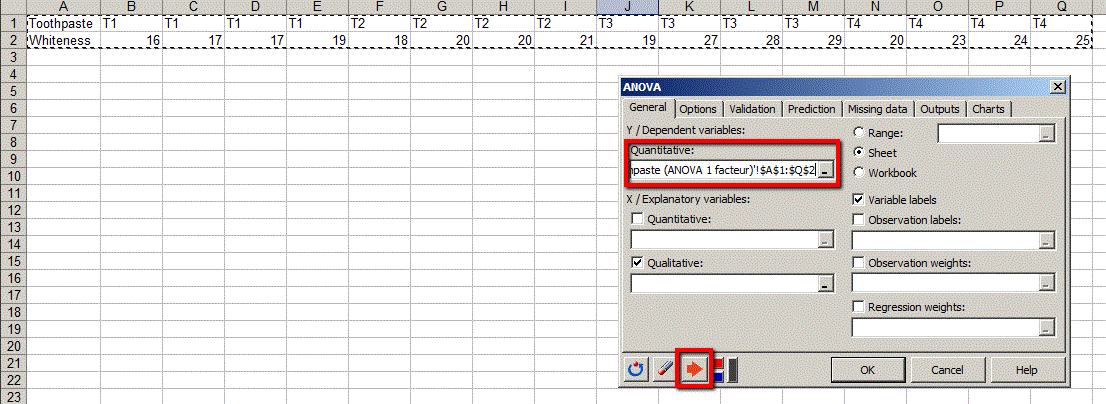
We are now able to run modelling, using selected data.
Was this article useful?
- Yes
- No
