 Help Center
Getting a license error message when opening XLSTAT?
This troubleshooting article concerns perpetual licenses holder without access to the latest version.
XLSTAT has recently migrated to a new and more performant licensing system. As a result, you may receive a license error message next time you open XLSTAT. If such a message appears on your screen:
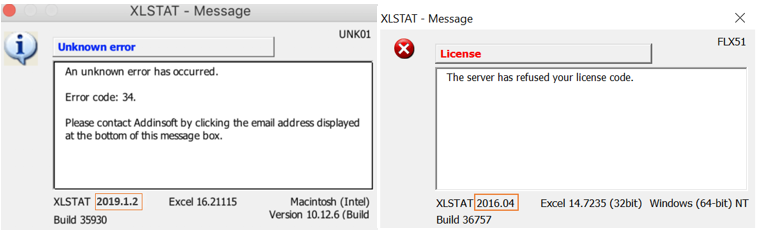
If such a message appears on your screen, please follow the steps below:
1. Uninstall XLSTAT.
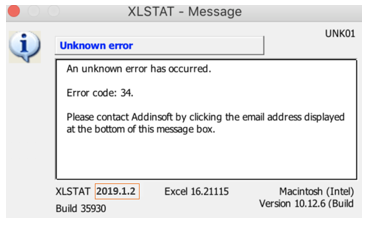
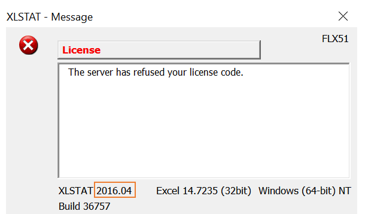
- Identify the version of XLSTAT you are running. This information is located in the bottom-left corner of the error window. We have two types of version numbering. - Case 1: Versions > XLSTAT 2019
- Case 2: Versions < XLSTAT 2019
3. Replace the bold letters of the download links by the proper XLSTAT version.
Links for case 1:
- PC: https://files.xlstat.com/archives/xlstat20164.exe
- MAC : https://files.xlstat.com/archives/xlstat20164.dmg
Links for case 2:
- PC: https://files.xlstat.com/archives/xlstat20191.exe
- MAC: https://files.xlstat.com/archives/xlstat20191.dmg
- Download XLSTAT using the right link and install it.
Was this article useful?
- Yes
- No
