 Help Center
How to locate functions from the XLSTAT menu
This tutorial explains how to use the XLSTAT search box, a handy tool which allows you to instantly find functionalities within the XLSTAT menu.
Step 1
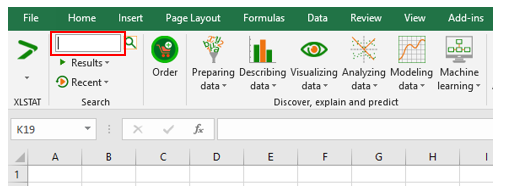
Click inside the search box.
 ### Step 2
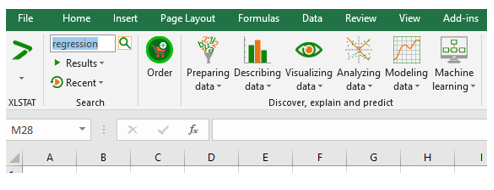
Type a descriptive word related to the method you are looking for. For example, regression. Then press the Enter button.
 ### Step 3
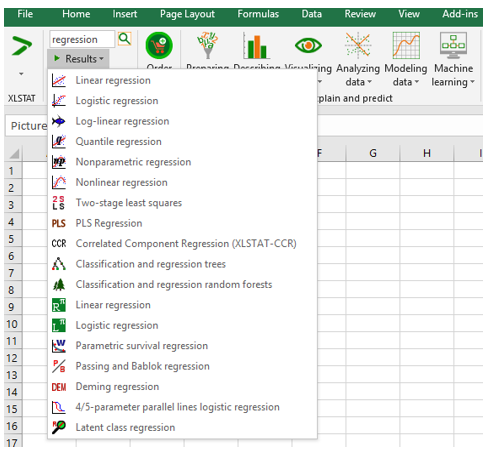
Click on Results. A list of all regression methods available in XLSTAT is then displayed.
 ### Step 4
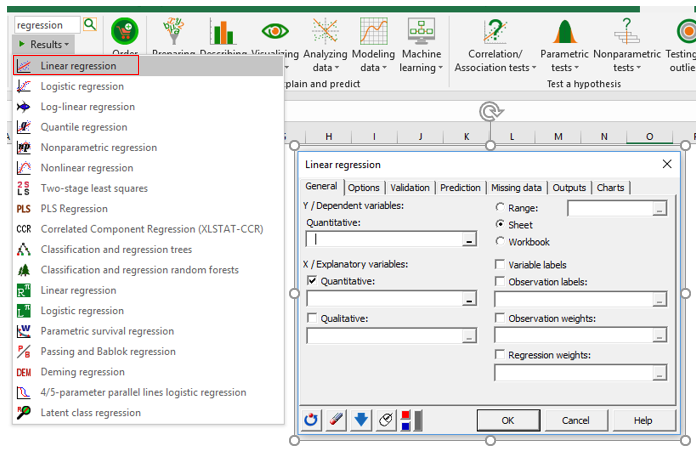
Select a command of the list in order to open the associated dialog box. For example:
Was this article useful?
- Yes
- No
