 Help Center
Closing XLSTAT
When you exit Excel, XLSTAT will close automatically. If you want to continue using Excel and close XLSTAT, you have several options.
Close XLSTAT with the XLSTAT buttons
You can use the XLSTAT button of the Excel toolbar.
Depending on your version of Excel you will find it in the main menu bar or in the Add-ins tab.
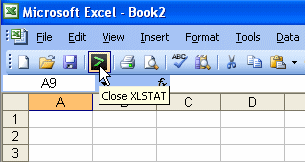
You can also use the Close XLSTAT button of the XLSTAT toolbar.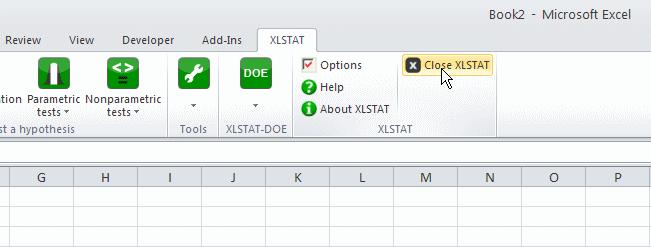
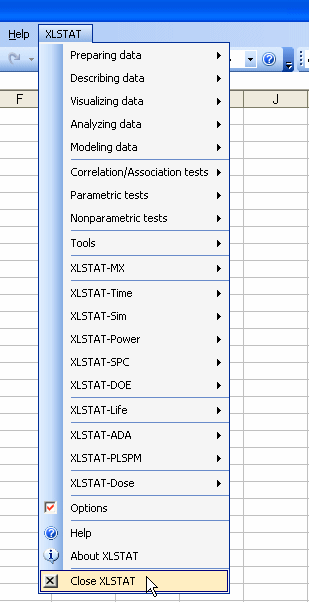
Close XLSTAT from the XLSTAT menu
Go to the XLSTAT menu and click on the Close XLSTAT command (see below). Depending on your version of Excel this command will be in the Add-ins tab or in the main menu bar.
Was this article useful?
- Yes
- No
