 Help Center
Run-time error '1004' - Programmatic access to Visual Basic Project is not trusted
This error appears on Office 2016 or Office 2019 on the Mac version.
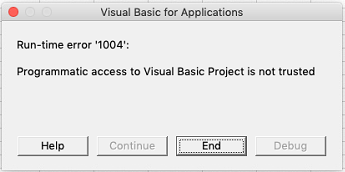
This error is due to the addition of a security option in the Office options by Microsoft.
To solve your problem, please follow this procedure below :
1- Click on Excel menu
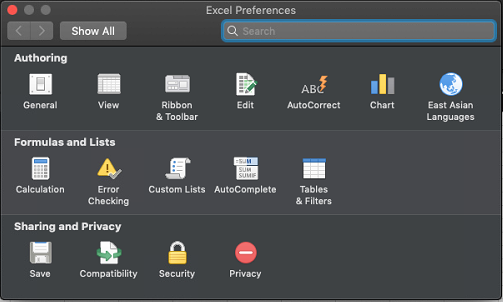
2- Click on Preferences
2- In the section Sharing and privacy, click on Security
3- Then check Enable all macros (...) and Trust access to the VBA project object model
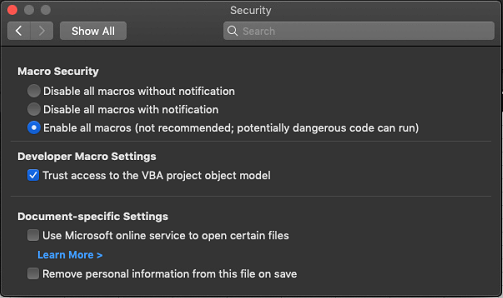
You can now open XLSTAT securely.
Was this article useful?
- Yes
- No
